
What is a Server and How It Powers Modern Business IT
Unlocking Your IT Potential: What is a Server and How the Client-Server Model Works
The server is the central powerhouse of all modern computing and business operations. From hosting your company website to storing critical financial data, servers are the non-negotiable foundation of reliable IT infrastructure.
At Arab Computers, we know that understanding this foundation is the first step toward optimizing your technology investments. This in-depth guide explains exactly what a server is, how it operates using the client-server model, and why choosing the right hardware is essential for scalability and performance.
Decoding the Definition: What is a Server?
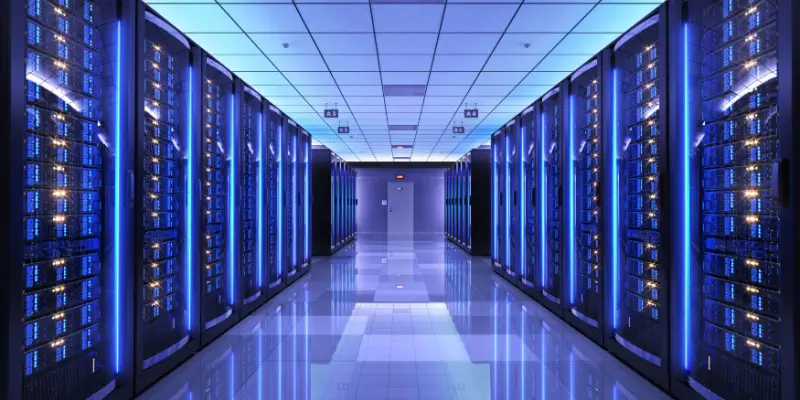
A server is a high-performance computer designed to process requests and deliver data to other computers—the clients—over a local network or the internet. Unlike a standard desktop PC, servers are built for continuous operation, typically 24 hours a day, 7 days a week, and are often housed securely within a data center.
The core differences that define a true server include:
- ECC RAM (Error-Correcting Code Memory): Specialized memory that detects and corrects data corruption, ensuring data integrity.
- Redundant Components: Often includes redundant power supplies and RAID (Redundant Array of Independent Disks) storage configurations to prevent single points of failure.
- Specialized CPUs: Equipped with multi-core processors optimized for handling multiple, simultaneous tasks rather than single-user performance.

The Server Analogy: A Central Command Center
Imagine your office. If the Client is an employee making a request (e.g., “I need the inventory spreadsheet”), the Server is the centralized file cabinet manager who securely stores the file, retrieves it, and delivers it to the employee instantly. This centralized management ensures everyone works with the same, correct information.
The Engine of the Internet: How the Client-Server Model Works
The core concept behind all modern networking is the Client-Server Model. This system defines the roles of the two main components in any digital transaction:
Step-by-Step Server-Client Interaction
- Client Request: A client (your browser, email app, or mobile phone) initiates communication by sending a request (e.g., an HTTP request to load a webpage).
- Network Routing: The request is routed through the network, often via DNS, to locate the specific IP address of the target server.
- Server Processing: The server receives the request, authenticates the client, and executes the necessary task. For a Web Server, this means fetching the required HTML and images. For a Database Server, it means running a complex SQL query.
- Data Delivery: The server bundles the requested data (the response) and sends it back across the network to the client.
- Client Reception: The client receives the data and displays it to the user.
This continuous, highly organized loop is the mechanism that runs the entire digital economy.
Essential Server Types for Modern Business Infrastructure
In the world of IT infrastructure, servers are specialized for optimal performance in their specific roles. Businesses must deploy the correct type to ensure maximum efficiency.
| Server Type | Key Function & Purpose | Common Use Cases |
| Web Server | Delivers web pages, hosts applications, and handles HTTP requests. | Hosting corporate websites, e-commerce platforms, and customer portals. |
| Database Server | Centralized storage and management of highly structured data. Crucial for speed and security. | CRM systems, financial databases, inventory management platforms. |
| File Server | Provides a central, secure repository for documents, videos, and company files. Simplifies backups. | Centralized employee document sharing and secure archiving. |
| Mail Server | Manages the flow of email traffic, ensuring secure sending, receiving, and storage of messages. | Corporate email hosting (e.g., Microsoft Exchange). |
| Cloud Server | A virtual server hosted in a large data center and accessed via the internet (IaaS). Offers superior flexibility. | Scalable business growth, disaster recovery, and testing environments. |
Why Choosing the Right Server Hardware Matters (For Business)
For organizations in the Arab region, reliable server infrastructure is key to competitive advantage. When investing in server hardware, focusing on these areas guarantees long-term return on investment (ROI):
- Scalability: Servers must be provisioned with room to grow. A high-quality CPU and expandable RAM slots ensure your server can handle increasing traffic and data loads without immediate replacement.
- Security: Physical hardware security is paramount. Servers offered by trusted providers often include enhanced security features and are designed for placement in secure, climate-controlled data center
- Performance: Faster processors, high-speed Solid-State Drives (SSDs), and powerful network interface cards reduce latency, ensuring employees and customers experience rapid response times.
Frequently Asked Questions (FAQ) About Servers
We’ve compiled the most frequently asked questions about servers to provide immediate clarity on your IT infrastructure needs.
What is the Difference Between a Server and a Desktop PC?
A Server is designed for continuous service and resource sharing, while a Desktop PC is optimized for single-user interactive tasks. Servers have redundant components, error-correcting memory, and specialized operating systems for network service delivery.
Do Small Businesses Need a Dedicated Server?
Yes, small businesses often require a dedicated server (physical or cloud-based) for centralizing key services. This provides a secure location for file sharing, running essential business applications, centralized security management, and reliable data backup.
What is a Data Center?
A Data Center is a physical facility used to house a large number of networked computer systems, including servers and storage equipment. These environments provide the specialized infrastructure—such as cooling, fire suppression, and redundant power—necessary for keeping high-performance server hardware running 24/7.
What Does “Hosting” Mean in Relation to a Server?
Hosting simply means storing and serving content from a server. A company might “host” its website on a Web Server or “host” its application using a Cloud Server. The host is the provider responsible for keeping the server accessible on the internet.
Conclusion: Partnering for Robust IT Infrastructure
Understanding the essential role of the server and the mechanics of the client-server model is foundational to building a successful digital presence. At Arab Computers, we offer a comprehensive range of server solutions—from physical server hardware optimized for your data center to flexible cloud services—perfectly tailored for the Middle Eastern market.
Ready to enhance your performance and security?
Cloud Computing Server Provider in Egypt – Arab Computers
Contact us today to explore the right server infrastructure for your business needs.
