
Network Monitoring Tools: How to Detect Problems Before Downtime
A slow application, unstable Wi-Fi connection, overloaded switch, or failed network link can disrupt operations before users understand what happened. Network monitoring tools give IT teams continuous visibility into devices, traffic, availability, and performance, helping them detect warning signs before they become costly outages.
For businesses that depend on cloud applications, data centers, remote access, VoIP, or connected security systems, monitoring supports faster troubleshooting, better capacity planning, stronger security awareness, and a more reliable user experience.
In brief: Network monitoring tools collect and analyze data from routers, switches, firewalls, servers, wireless access points, cloud resources, and applications. They alert administrators when devices fail, performance falls outside expected limits, or unusual activity requires investigation.
What Is Network Monitoring?
Network monitoring is the continuous observation of a network’s availability, health, traffic, and performance. It helps IT teams determine whether critical devices are online, bandwidth is being consumed unexpectedly, users are experiencing latency or packet loss, and infrastructure is approaching capacity.
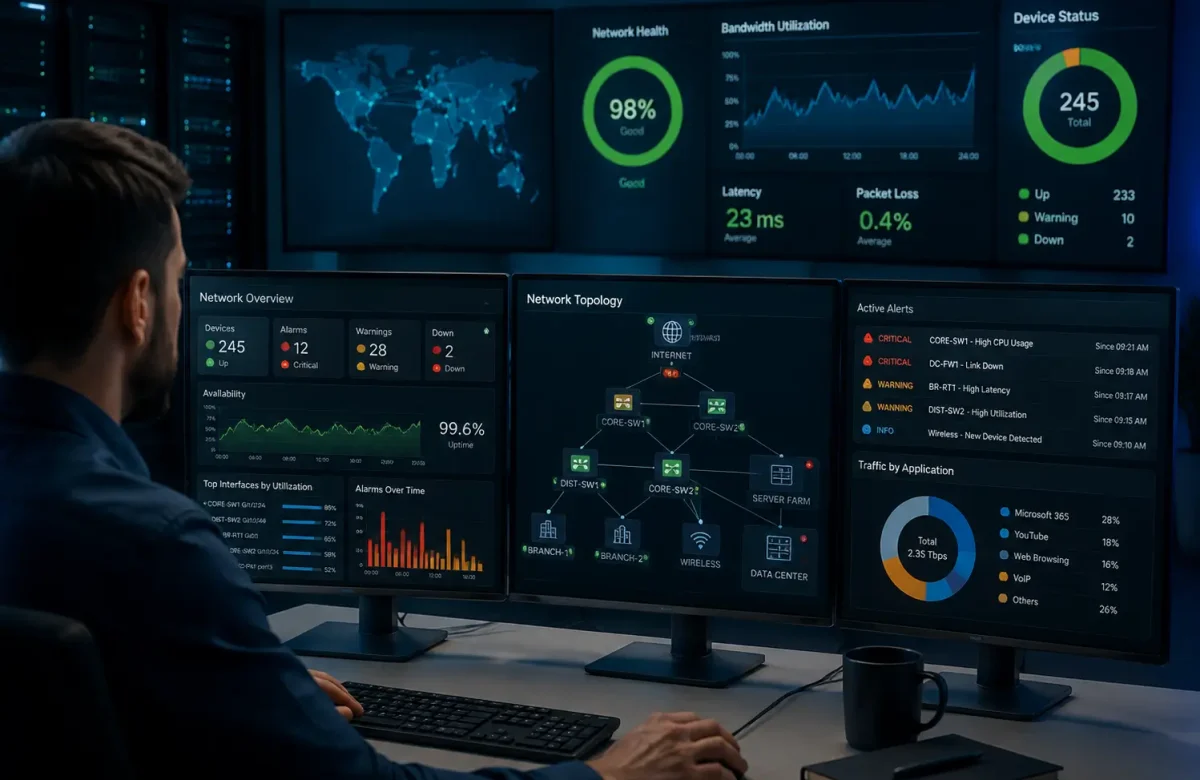
A monitoring platform presents this information through dashboards, reports, topology maps, and alerts. Instead of waiting for users to report a failure, administrators can detect degraded performance early and investigate the affected device, connection, application, or location.
How Do Network Monitoring Tools Work?
Network monitoring tools gather data through protocols, agents, APIs, logs, packet analysis, and traffic-flow records. Common sources include SNMP, ICMP, syslog, NetFlow, IPFIX, cloud telemetry, and device APIs.
The platform discovers assets and tracks measurements such as uptime, CPU and memory use, interface errors, bandwidth utilization, latency, jitter, packet loss, and response time. When a metric crosses a threshold or differs significantly from its normal baseline, the system creates an alert.
Advanced platforms may correlate events, reduce duplicate notifications, identify a likely root cause, and trigger automated actions. The objective is to convert technical data into information that helps IT teams respond quickly.
Key Benefits of Using Network Monitoring Tools
The main benefits include:
- Earlier problem detection: Alerts reveal failing links, overloaded devices, and degraded performance.
- Faster troubleshooting: Dashboards and historical records help locate the source of an issue.
- Reduced downtime: Proactive maintenance allows teams to act before essential services fail.
- Better capacity planning: Usage trends show when more bandwidth or infrastructure may be required.
- Improved security awareness: Unexpected traffic or unknown devices may require investigation.
- Stronger reporting: Historical reports support performance reviews, audits, capacity planning, and SLA monitoring.
Network monitoring can reveal unusual behavior, but it does not replace firewalls, SIEM platforms, endpoint protection, intrusion-detection technologies, or dedicated network detection and response solutions.
Common Network Monitoring Methods
Businesses often combine several monitoring methods because no single data source can explain every network problem or provide complete visibility into device health, traffic behavior, and user experience.
SNMP-Based Monitoring Tools
Simple Network Management Protocol, or SNMP, is widely used to monitor routers, switches, firewalls, servers, printers, UPS units, and other managed devices. A monitoring server polls devices for health and performance information and may receive event notifications known as traps.
SNMP can track availability, interface status, CPU load, memory use, temperature, and error counters. Where supported, SNMPv3 is generally preferred because it provides stronger authentication and encryption than earlier versions.
Flow-Based Monitoring Tools
Flow-based monitoring analyzes summaries of network conversations. Technologies such as NetFlow, sFlow, and IPFIX can show source and destination addresses, protocols, ports, traffic volume, and communication duration.
This helps administrators identify which applications, users, or services consume bandwidth. It may also help teams investigate traffic spikes, unexpected transfers, scanning patterns, or communication with unfamiliar destinations.
Active vs. Passive Network Monitoring
Active monitoring sends test traffic to measure availability and performance. Examples include ping tests, DNS checks, and synthetic transactions.
Passive monitoring observes real traffic through packet capture, flow records, logs, or mirrored traffic. Active monitoring confirms whether a service is reachable, while passive monitoring helps explain how actual traffic is behaving. Combining both provides more complete visibility.
Essential Features to Look for in a Network Monitoring Tool
A business-ready platform should offer:
- Automatic discovery and network inventory
- Real-time dashboards and topology maps
- Custom thresholds, alerts, and escalation rules
- Wired, wireless, cloud, and remote-site monitoring
- Historical reporting and capacity trends
- Support for SNMP, flow data, logs, APIs, or packet analysis
- Role-based access and secure credential management
- Integration with ticketing, security, and automation tools
- Scalable licensing and suitable data retention
- Root-cause analysis and alert-noise reduction
The best choice is the platform that matches the organization’s infrastructure, vendors, technical skills, operating model, and priorities.
Leading Network Monitoring Platforms for Different Business Environments
The following solutions support different network monitoring, management, cloud-observability, and security-visibility requirements. They are not direct alternatives; the right choice depends on the existing infrastructure, vendors, operational goals, and security priorities.
Cisco
Cisco environments can use Cisco Catalyst Center with Assurance capabilities or the cloud-managed Meraki Dashboard. Catalyst Center provides visibility into network, client, and application health, while Meraki centralizes monitoring and management for compatible switching, wireless, WAN, security, and IoT technologies.
Cisco suits organizations that want monitoring, assurance, configuration, and troubleshooting within the same networking ecosystem.
Aruba
Aruba Central provides a unified platform for monitoring and managing wired and wireless networks. It offers visibility into devices, clients, network health, applications, events, and reports. Its AI-powered insights can analyze network and client data to identify performance issues and suggest possible improvements.
It is particularly relevant for Aruba switching and wireless environments across campuses, branches, and distributed locations.
Fortinet
FortiMonitor is a SaaS-based platform for digital-experience, network, infrastructure, application, and cloud monitoring. It provides visibility into infrastructure, network devices, services, applications, and user experience while supporting alerting and incident workflows.
It may suit businesses seeking broad operational visibility, including organizations already using Fortinet technologies.
Sophos
Sophos Network Detection and Response is primarily a security-monitoring solution rather than a traditional infrastructure-performance platform. It analyzes traffic for abnormal flows, unmanaged devices, suspicious communication, command-and-control activity, and threats that may not be visible on protected endpoints.
It is most relevant when network visibility must support threat detection, XDR, or managed detection and response.
Microsoft
For Azure and hybrid environments, Azure Network Watcher provides monitoring and diagnostics for virtual networks, including connection monitoring, topology, flow logs, and packet capture. Azure Monitor adds broader observability by collecting and analyzing metrics, logs, traces, and events from cloud and hybrid resources.
These tools are useful for organizations that need to monitor Azure virtual networks, infrastructure resources, and hybrid connectivity.
How Arab Computers Helps You Build a Reliable Network Infrastructure
A monitoring tool is most effective when the network is correctly designed, securely configured, and supported by a clear response process. Arab Computers helps businesses in Egypt assess their current infrastructure, identify performance and visibility gaps, select suitable networking and security technologies, and deploy scalable solutions supported by technical assistance and cybersecurity controls.
Its services include network and security solutions, data center infrastructure, cloud services, endpoint protection, backup and virtualization, service-center support, and technical assistance. This makes monitoring part of a broader availability, security, and business-continuity strategy rather than an isolated dashboard.
A practical implementation may include mapping devices, defining performance baselines, setting meaningful alerts, securing monitoring access, testing failure scenarios, and documenting escalation procedures.
Contact Arab Computers to assess your current network, identify visibility gaps, and design a monitoring and infrastructure solution suited to your business requirements.
