
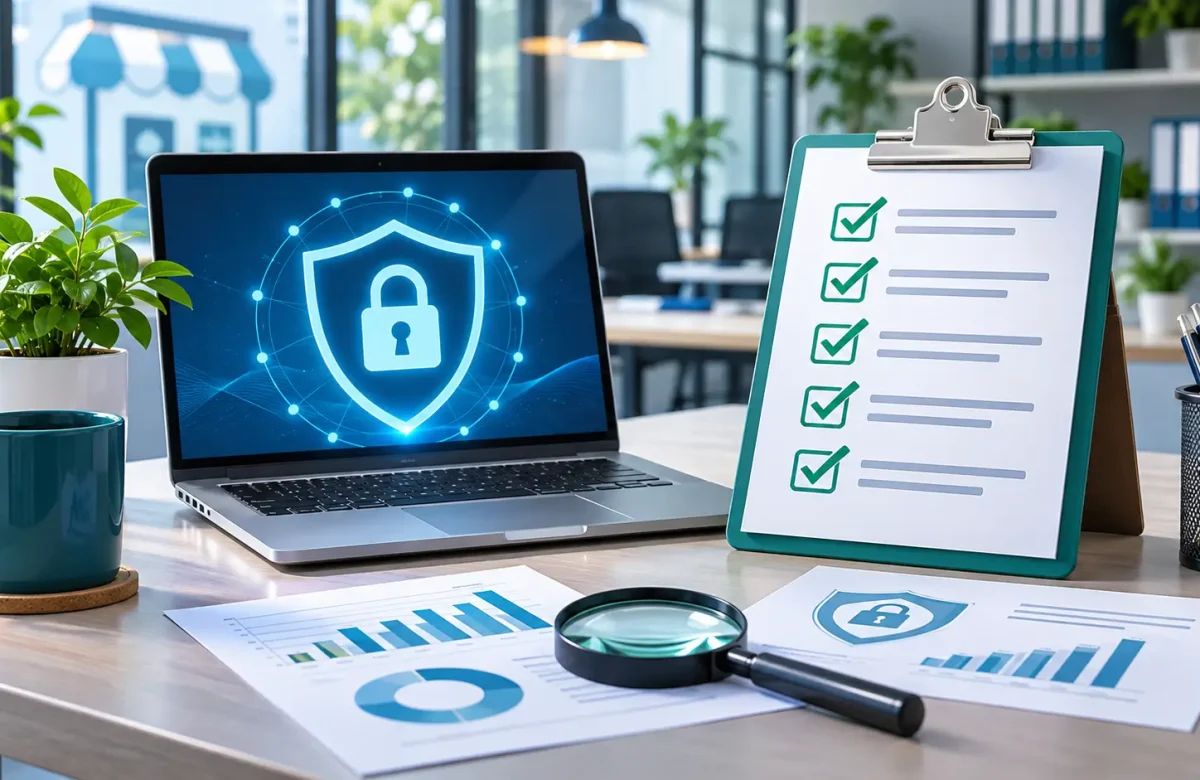
Small Business Security Audit: Essential Checklist
Small businesses increasingly depend on digital systems to manage customer information, financial records, daily operations, and internal communications. However, limited IT resources and inadequate security controls can leave these businesses exposed to cyberattacks, unauthorized access, data loss, and network disruptions.
A Small Business Security Audit helps identify these weaknesses before they develop into costly business problems. By examining network infrastructure, devices, cloud environments, access permissions, and data protection procedures, companies can understand their security risks and determine which improvements should receive priority.
For businesses in Egypt, working with an experienced IT solutions provider can make this process more manageable. Arab Computers offers network and security solutions, endpoint protection, cloud services, infrastructure solutions, and security assessments designed to help businesses strengthen their IT environments.
What Is a Security Audit?
A security audit is a systematic review of how a business protects its systems, data, and premises. It answers three questions: what you have, where the weaknesses are, and what to fix first.
A useful audit ends with an inventory, a list of gaps measured against a recognized standard or your own policies, and an action plan with owners and deadlines.
Why Is a Security Audit Important for Small Businesses?
Many owners assume attackers only target large companies. In practice, small businesses often share the same exposures with fewer safeguards and no dedicated security staff. A small business security audit helps in three practical ways:
- It finds problems early: Forgotten admin accounts and unpatched devices are far cheaper to fix before someone exploits them.
- It protects personal data: Customer and employee information carries legal and reputational responsibilities.
- It keeps operations running: Ransomware and failed hardware can halt billing and sales, and only tested backups make recovery realistic.
What Are the Types of Security Audits?
Most businesses need a combination of the following security audits, depending on their infrastructure and operational requirements.
IT Security Audit
Reviews the computers, servers, software, and accounts that staff use every day.
Cybersecurity Audit
Looks at outside threats such as phishing and credential theft, and how people respond to them.
Network Security Audit
Examines firewalls, Wi-Fi, remote access, and whether guest and staff networks are separated.
Cloud Security Audit
Reviews email, file storage, and hosted accounting platforms, including who holds admin rights.
Physical Security Audit
Assesses door access, server cabinets, CCTV coverage, and how paper files and removable media are stored.
What Is an IT Security Audit?
An IT security audit is a hands-on review of your technology against defined expectations. It usually moves through four stages: defining scope, collecting facts such as device lists and firewall rules, testing whether controls work, and reporting findings ranked by risk.
Testing is the step most often skipped. Ask whether multi-factor authentication covers every admin account, and whether backups can actually be restored, not just whether they report success.
Internal Security Audit vs. External Security Audit: What’s the Difference?
An internal audit runs from inside your network and asks how far someone could go after gaining a foothold, such as through one compromised laptop.
An external audit looks at your business from the internet and checks what outsiders can see, such as public websites, remote access portals, and open ports.
An external review is often the quicker starting point, while an internal review shows how much damage a single account could cause.
Small Business Security Audit Checklist
Mark each item as in place, partly in place, or missing. Start with the gaps closest to the top.
Network and Firewall Security
- Firewall rules have been reviewed, not left at defaults.
- Guest Wi-Fi is separated from staff and server networks.
Data Protection and Backup
- Critical data is backed up automatically, with at least one copy stored off-site or offline.
- Restores are tested regularly.
Access Control and User Permissions
- Every employee has a unique login, and former employees’ accounts are disabled promptly.
- Multi-factor authentication covers email, admin tools, and remote access.
Endpoint and Device Security
- Laptops and desktops run anti-malware that updates automatically.
- Devices holding business data are encrypted, and lost devices can be wiped remotely.
Software Updates and Patch Management
- Operating systems and applications update on a set schedule.
- One named person tracks vendor security notices.
Cloud and Email Security
- Email filtering blocks spam and known phishing attempts.
- Sender authentication (SPF, DKIM, and DMARC) is configured for your domain.
Employee Security Awareness
- Staff can recognize phishing and know how to report it.
- Changes to bank details are confirmed through a separate channel.
Incident Response and Disaster Recovery
- A written recovery plan states how long each critical system can be down.
- A contact list covers your IT provider, a decision-maker, and your insurer.
How to Conduct a Security Audit for Your Small Business
You can run a basic audit in-house by following these steps:
- Assign one owner with authority to approve changes.
- Build a list of devices, accounts, and where business data lives.
- Work through the checklist and save evidence, such as screenshots and backup logs.
- Test the controls that matter most, such as restoring a file and confirming a removed account can no longer sign in.
- Rank findings by impact, and fix high-impact, low-effort items first.
- Assign a date to every action and track it until it’s closed.
How Often Should Small Businesses Conduct Security Audits?
A full audit once a year is a sensible baseline. Add a short quarterly check to review accounts, confirm backups ran, and verify that updates are installed.
Run an extra review after major changes, such as moving offices, adopting new software, or responding to an incident.
What to Look for in a Security Audit Provider
If you hire outside help, compare proposals on these points:
- Experience: Have they worked with businesses of your size and sector?
- Expertise: Do their engineers explain findings in plain language?
- Communication: Do they provide a written scope, a timeline, and regular updates?
- Technology: Do they use established tools and explain what they test?
- Customization: Is the audit built around your operations, or is it a generic template?
- Reliability: Do they meet agreed deadlines and document their work?
- Customer Support: Is there a named contact after the report is delivered?
Why Choose Arab Computers for Your Business Security Audit?
Arab Computers provides services across infrastructure and data centers, backup and virtualization, cloud services, endpoint management, VoIP and call center systems, network and security, and surveillance.
For a small business, that range matters because security gaps rarely sit in one place. A weak backup, an unmanaged switch, and an unsecured camera network can all contribute to the same risk. Physical infrastructure matters too.
FAQ
What Is the Difference Between a Security Audit and a Vulnerability Assessment?
A vulnerability assessment is a technical scan for known weaknesses. A security audit is broader and also reviews policies, access rights, backups, and staff practices.
Can a Small Business Perform a Security Audit Without an IT Team?
Yes, for the basics, such as working through the checklist and removing old accounts. Technical testing, like restore tests and configuration reviews, usually benefits from IT expertise.
